







Purchasing advice
Know what to reorder
See per supplier which products to restock and how many. OrderSyncer factors in your stock, expected sales and planned deliveries.
See purchasing advice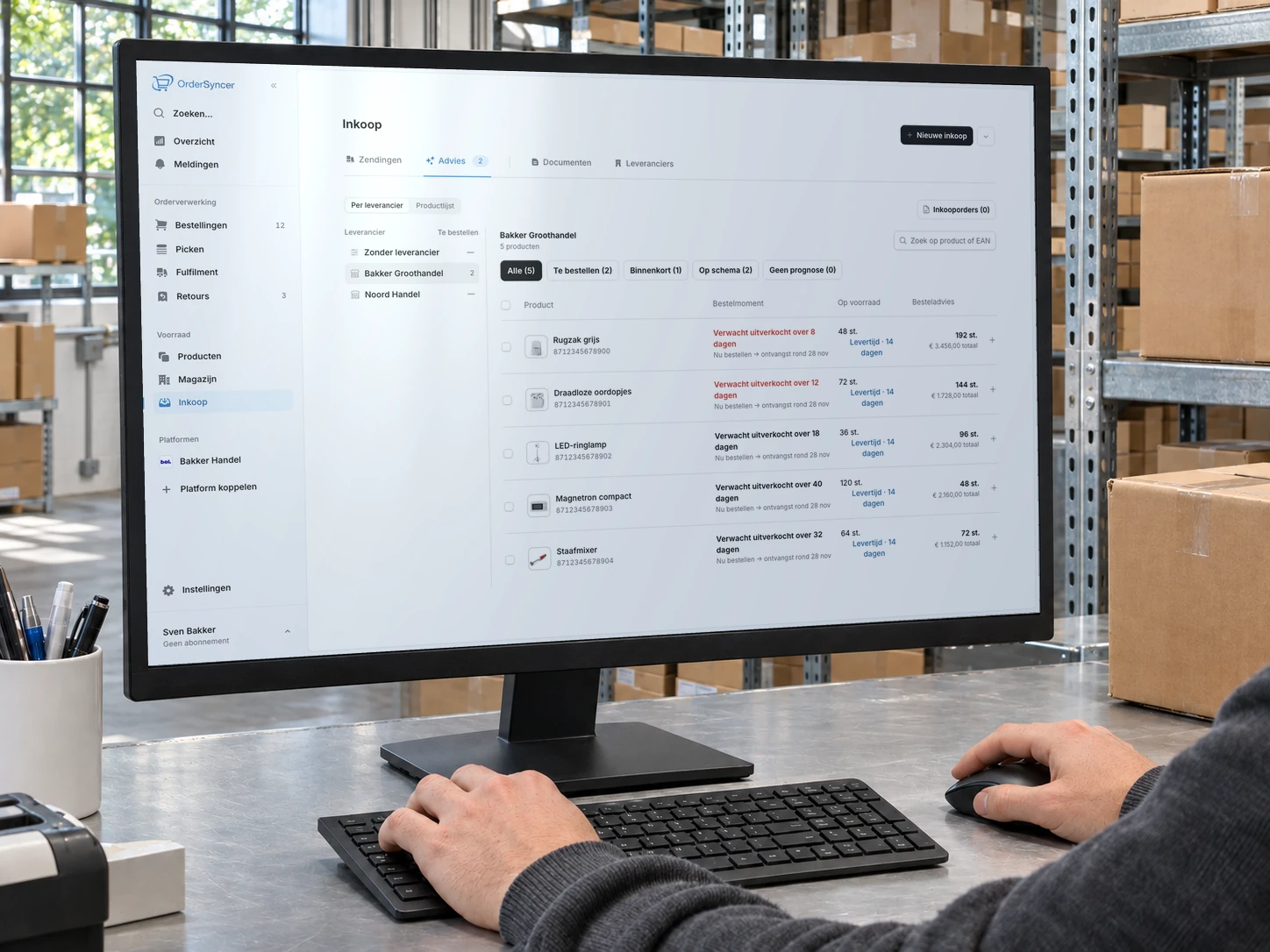
Order and inventory management for online sellers
Whether you sell on bol, in your own online store or both, OrderSyncer brings your orders, stock and shipping labels together. Work from one worklist, pick with your phone and have stock changes sent to your connected channels automatically.
Try free for 14 days. No credit card needed.
Animated OrderSyncer demo: orders from bol, your online store and other channels arrive in one order overview, stock is updated across all channels and shipping labels are created. On the phone, products in a pick session are ticked off one by one, the session is completed and the next one starts.
How OrderSyncer works
Orders come in, you pick the products and create the shipping labels. OrderSyncer passes stock changes and shipping statuses on to your connected channels.
Integrations
Connect your bol store or your own online store and import your existing products. New orders come in automatically, so there are no product or order details to re-enter.
See all integrationsOrders and shipping
See your open orders and create shipping labels on the same screen. OrderSyncer sends the shipping status back to the sales channel, so there is no need to update the order there as well.
Picking
Open your pick list on your phone. Each item shows its location and the quantity you need. The list is sorted by walking route, so you pick products in a logical order.
Stock synchronisation
After a sale or a stock change in OrderSyncer, the new stock level goes to your connected channels. So there is no need to adjust quantities store by store.
Try free for 14 days. No credit card needed.
Stock, purchasing and returns
Purchasing advice
See per supplier which products to restock and how many. OrderSyncer factors in your stock, expected sales and planned deliveries.
See purchasing adviceReturns management
See which returns still need processing. Record what you received and decide whether the product goes back into stock.
See returns management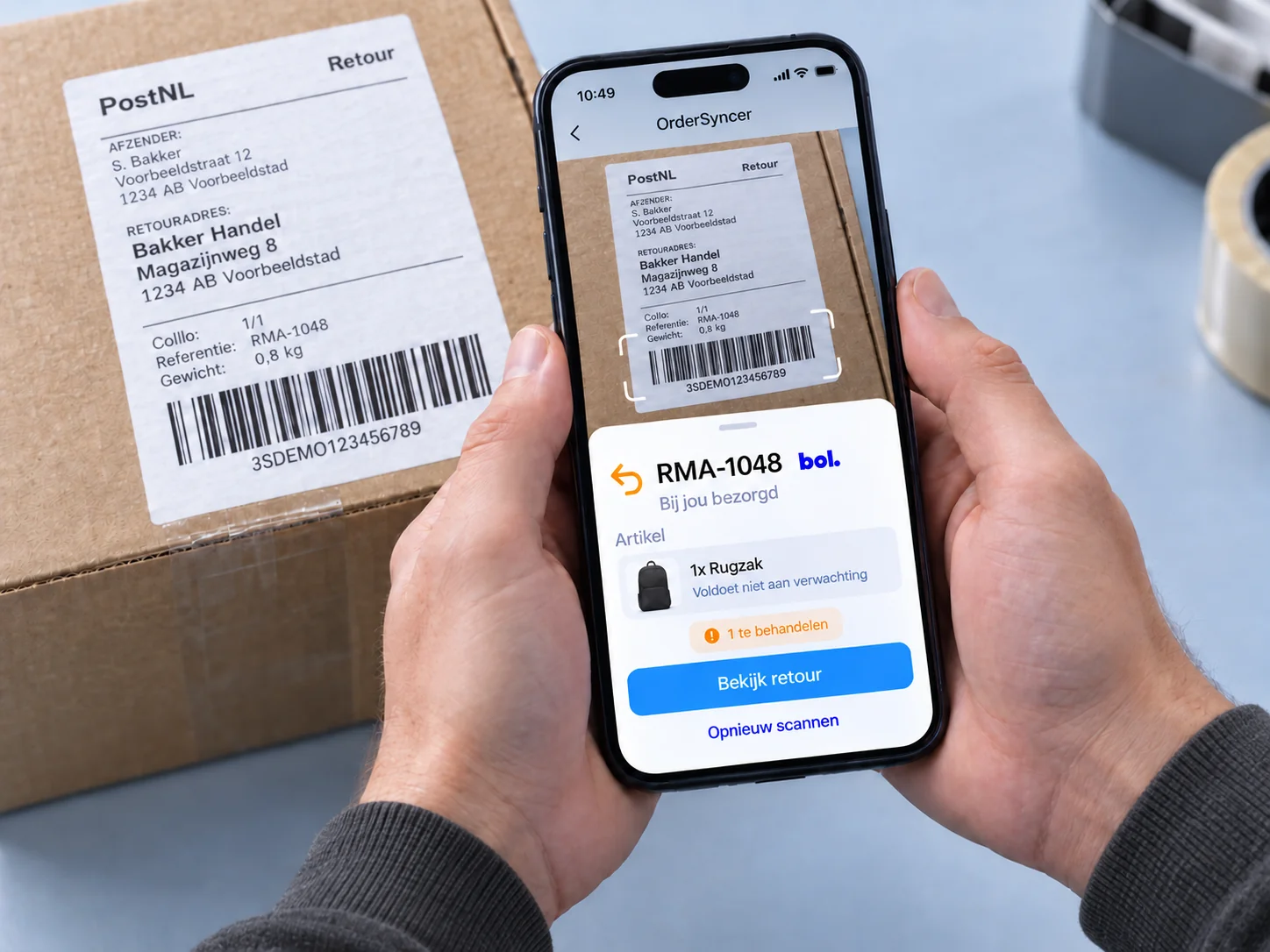
Link listings from different stores to the same product.
See inventory managementRecord warehouse locations, so you see where each item is while you pick.
See warehouse locationsOrderSyncer pricing is predictable: you pay for the number of orders you process each month, across all your channels combined. Cancel monthly and switch to another plan whenever you like. We grow with you.
You sell through one channel, such as bol.
€ 30 per month, excl. VAT
150 orders per month included. Extra orders cost € 0,15 each, billed monthly in arrears.
You manage orders and stock for all your sales channels together.
€ 35 per month, excl. VAT
250 orders per month included. Extra orders cost € 0,105 each, billed monthly in arrears.
You set up your warehouse, organise packing and keep track of changes.
€ 60 per month, excl. VAT
750 orders per month included. Extra orders cost € 0,06 each, billed monthly in arrears.
Everything in Groei, plus:
All amounts exclude VAT.
Frequently asked questions
Have another question? We are happy to help.
Email us your questionOrderSyncer is for online sellers who process and ship their own orders, from home or from a warehouse. You manage orders, stock, shipping labels and returns in one place. Start with one sales channel and bring more together later.
You can connect bol, WooCommerce, Kaufland, Conrad, CCV Shop and Shopware 6, among others, and we keep adding more. That lets you manage bol and your WooCommerce store from the same worklist, for example. See all available integrations.
Yes. Create an account and try OrderSyncer free for 14 days. No credit card needed. Afterwards, you decide whether to continue with a paid subscription.
Start costs from € 30, Groei from € 35 and Pro from € 60 per month, excluding VAT. The right plan depends on how many orders you process each month and which features you need. Each plan includes a number of orders. Extra orders are billed afterwards at your plan’s rate. Work out your monthly price on the pricing page.
Start includes one sales channel and two users. To connect bol and WooCommerce, for example, choose Groei or Pro. Both offer unlimited sales channels and users. Pro adds 3D warehouse design, advanced packing and stock history, among other features. Compare all the differences on the pricing page.
No. You can import products from your connected sales channels. Listings for the same product go together under one product. When you switch, check your product links and opening stock, so OrderSyncer works with the right quantities.
New orders appear in your worklist automatically, usually within a few minutes. OrderSyncer processes the order and passes the new stock level on to your connected sales channels. Stock corrections and returns you book back into stock are passed on too.
Yes. Follow a pick list in your phone’s browser and tap to mark the items you have picked. No separate handheld scanner needed. The pick screen also works on a tablet or computer. See how order picking works.
You can connect MyParcel, Sendcloud, QLS, Sendy and Zineps, among others, and keep using your own shipping rates. We keep adding integrations. For bol orders you can also use Verzenden via bol. You create the labels in OrderSyncer and pay the shipping costs separately to your shipping service. See the shipping options.
Yes. Returns management is included in every paid plan. What arrives automatically and which actions are available depend on the sales channel. When processing a return, you decide whether received items go back in stock. A damaged product does not have to be added back. See what is possible with returns management.
Yes. Sign up from this site and the app starts in English. You can switch language in the settings. A few messages and the assistant are still in Dutch.
Whether you pack at home or work from a warehouse, keep your orders, stock and shipping together in OrderSyncer.
No credit card needed. View the trial terms